CKA Task 2 - Multi-Container Pod on Control Plane
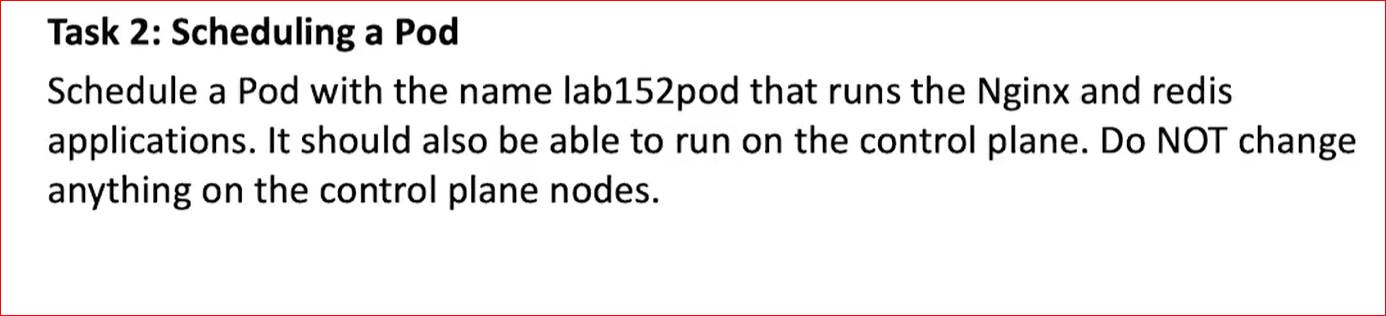
Objective:
- Create a pod named lab152pod
- Run both nginx and redis containers
- Allow scheduling on the control plane
- Do NOT modify the control plane node itself
Step 1 - Create the YAML File
nano lab152pod.yaml
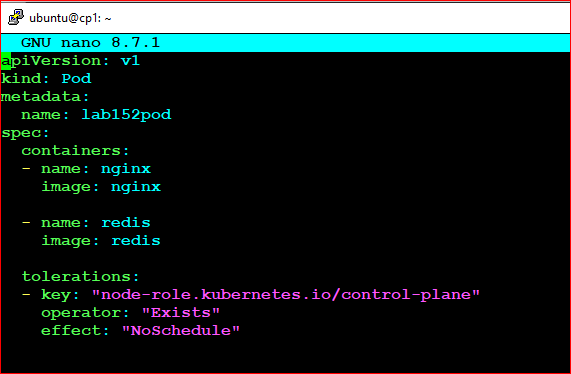
Step 2 - Pod Manifest
apiVersion: v1
kind: Pod
metadata:
name: lab152pod
spec:
containers:
- name: nginx
image: nginx
- name: redis
image: redis
tolerations:
- key: "node-role.kubernetes.io/control-plane"
operator: Exists
effect: NoSchedule
Exam Clue:
If the task says:
If the task says:
- "Should be able to run on the control plane"
- "Do NOT change anything on the control plane"
Step 3 - Deploy the Pod
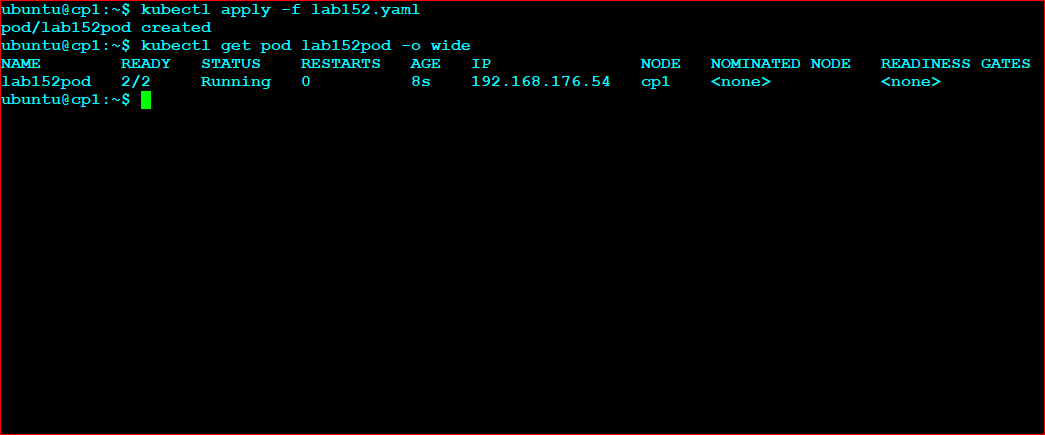
kubectl apply -f lab152pod.yaml
Verify Creation
kubectl get pods
 or
or
kubectl get pod lab152pod -o wide
Verify Containers
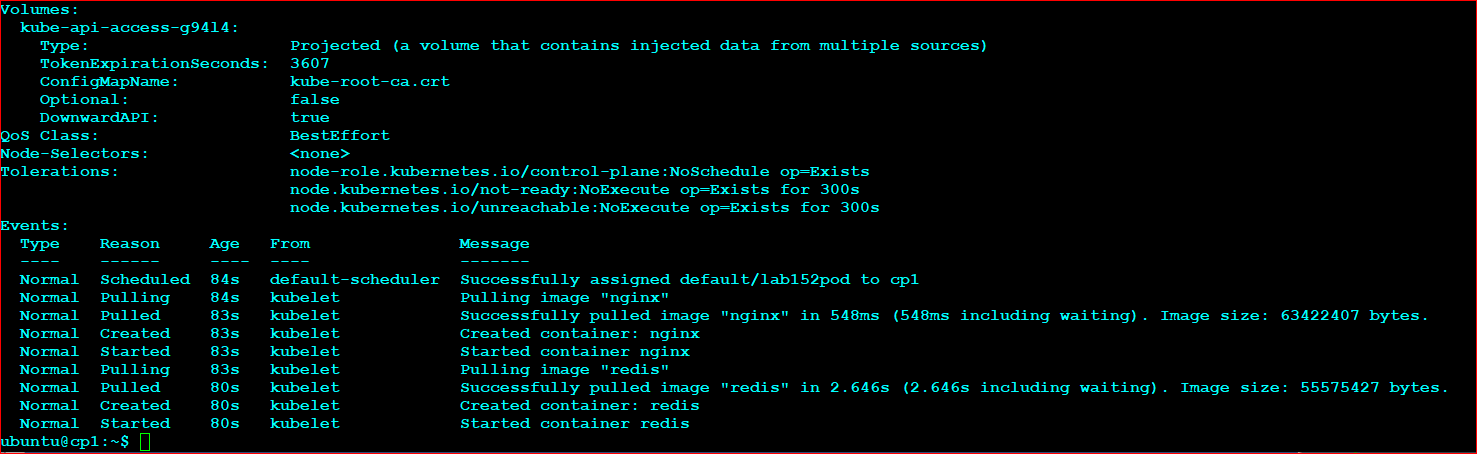
kubectl describe pod lab152pod
Look for:
Containers:
nginx
redis
Verify Toleration
Look for:
Tolerations:
node-role.kubernetes.io/control-plane:NoSchedule op=Exists
Fast Exam Method
kubectl run lab152pod \
--image=nginx \
--dry-run=client \
-o yaml > lab152pod.yaml
Then edit the YAML:
- Add the Redis container
- Add the toleration
This is often faster than typing an entire Pod manifest from memory during the exam.
Memory Trick
Control Plane Access Without Modifying Node
Node has a taint ➜ Pod needs a toleration.
Never remove the taint unless the task specifically tells you to modify the node.
Node has a taint ➜ Pod needs a toleration.
Never remove the taint unless the task specifically tells you to modify the node.
Screenshot / Notes Section
Paste your pod description output here later.
Insert Screenshot Here
Paste kubectl get pod -o wide results here.
Insert Screenshot Here
Add your own exam notes.
Personal Notes / Screenshot Area