CKA Task 5
Configuring Application Access with a NodePort Service
Task Objective
Create a deployment named:
lab155deploy
- Run the nginx image.
- Create 3 replicas.
- Make the application accessible externally.
- Expose it on NodePort 32567.
💡 Exam Keyword:
"Accessible externally on every cluster node" = NodePort Service
"Accessible externally on every cluster node" = NodePort Service
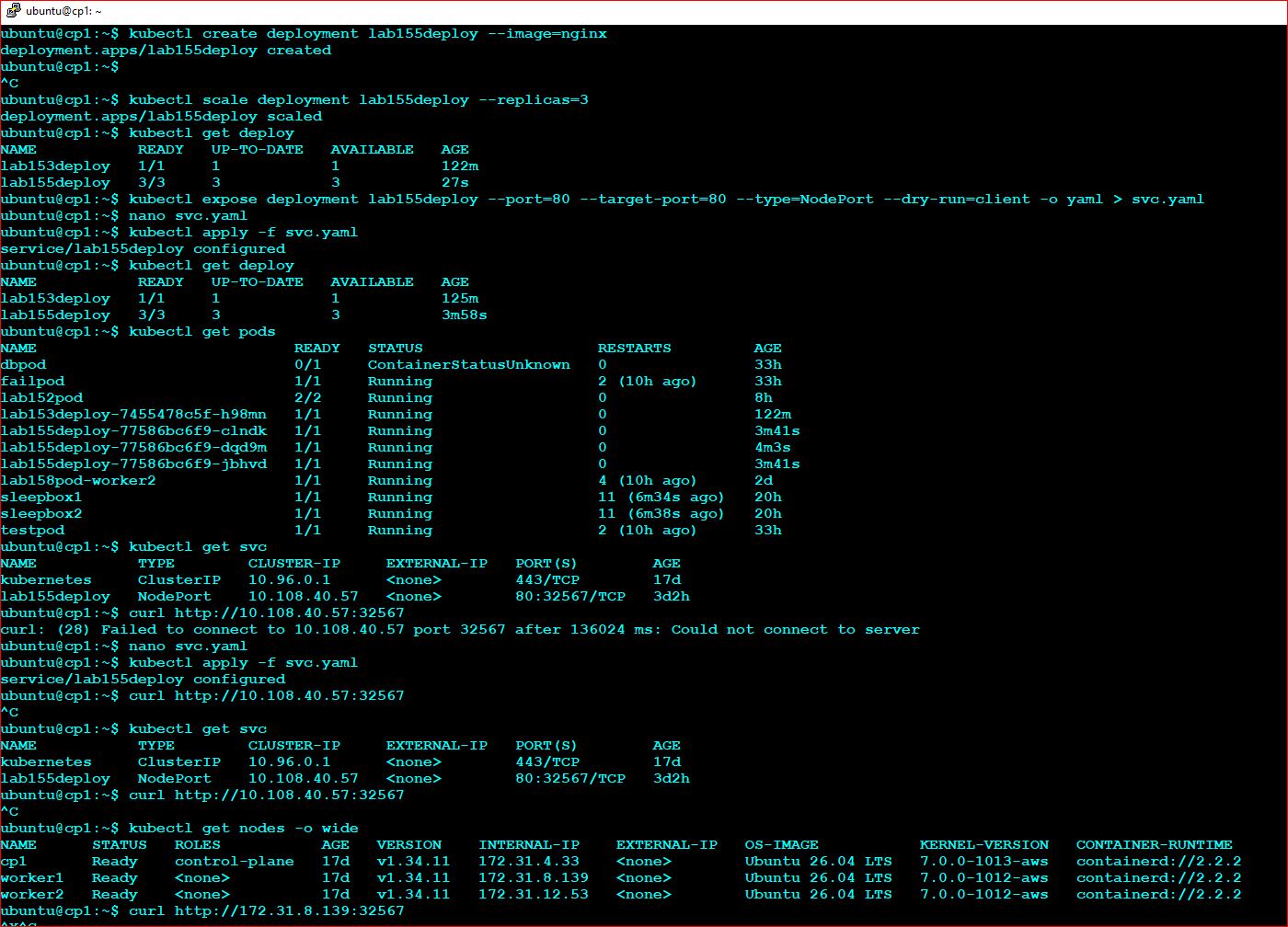
Step 1 - Create the Deployment
kubectl create deployment lab155deploy --image=nginx
kubectl scale deployment lab155deploy --replicas=3
kubectl get deploy
Step 2 - Generate the Service YAML
kubectl expose deployment lab155deploy \
--port=80 \
--target-port=80 \
--type=NodePort \
--dry-run=client -o yaml > svc.yaml
Edit the YAML and add the NodePort value.
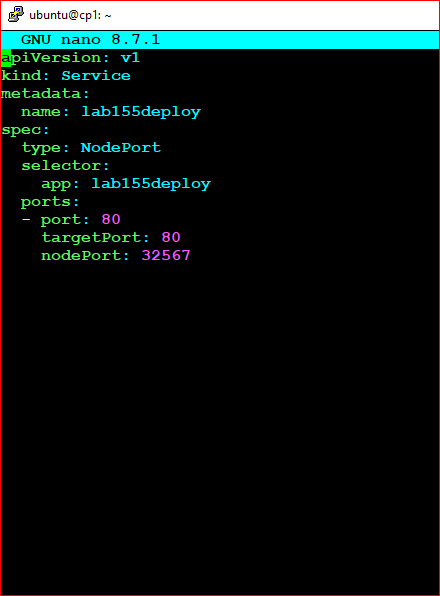
Final Service YAML
apiVersion: v1
kind: Service
metadata:
  name: lab155deploy

spec:
  type: NodePort

  selector:
    app: lab155deploy

  ports:
  - port: 80
    targetPort: 80
    nodePort: 32567
kubectl apply -f svc.yaml
Verification Commands
kubectl get deploy
kubectl get svc
kubectl describe svc lab155deploy
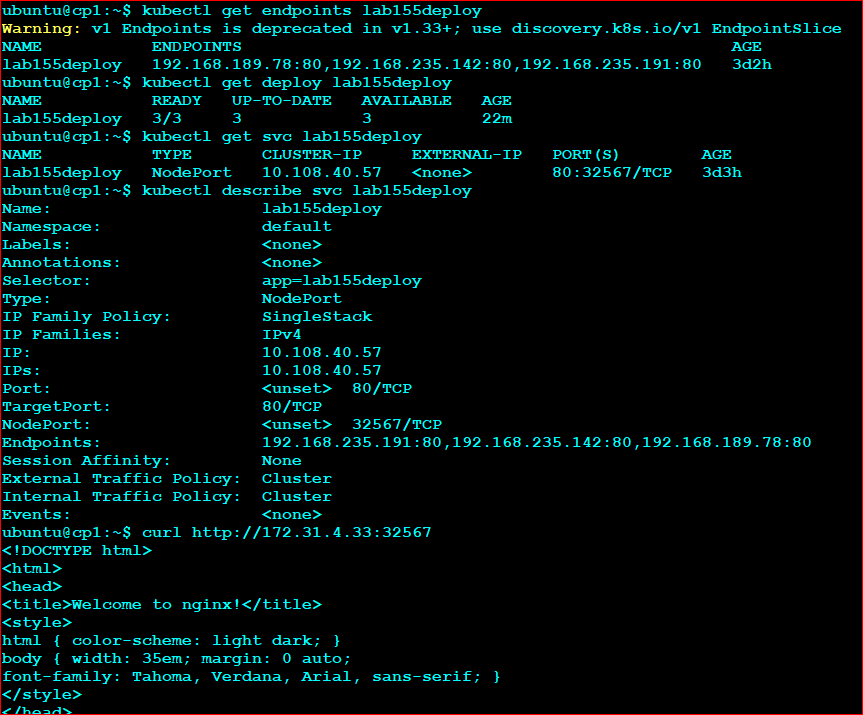
kubectl get endpoints lab155deploy
Your Successful Verification Results
Deployment: 3/3 Running
Service Type: NodePort
NodePort: 32567
Endpoints:
192.168.235.191:80
192.168.235.142:80
192.168.189.78:80
✅ Endpoints Present = Service is connected to pods
❌ Endpoints: <none> = Selector issue
Since your service shows endpoints, the configuration is correct.
Important Troubleshooting Note
You discovered a common exam confusion:
curl http://10.108.40.57:32567
This does NOT test the NodePort correctly because:
- 10.108.40.57 is the ClusterIP.
- ClusterIP listens on port 80.
- NodePort listens on the Node IP addresses.
Correct NodePort tests:
curl http://172.31.4.33:32567
curl http://172.31.8.139:32567
curl http://172.31.12.53:32567
💡 If NodePort curl behaves inconsistently but:
- Deployment is healthy
- Service exists
- NodePort is configured
- Endpoints exist
Exam Memory Shortcut
External Access
      ↓
NodePort Service
      ↓
type: NodePort
      ↓
nodePort: 32567
Three things the grader will likely check:
- Deployment name = lab155deploy
- Replicas = 3
- NodePort = 32567
Screenshot Area
INSERT SCREENSHOT OF kubectl get endpoints lab155deploy HERE